 Z9 Monitor by Z9 Systems
Which servers are not backed up? Know before you need the restore.
A green backup job does not mean every server is protected. A new VM was never added to a job, a server was renamed, a job was disabled during maintenance and never enabled again. Z9 Monitor checks every server against your backups – every day, automatically.
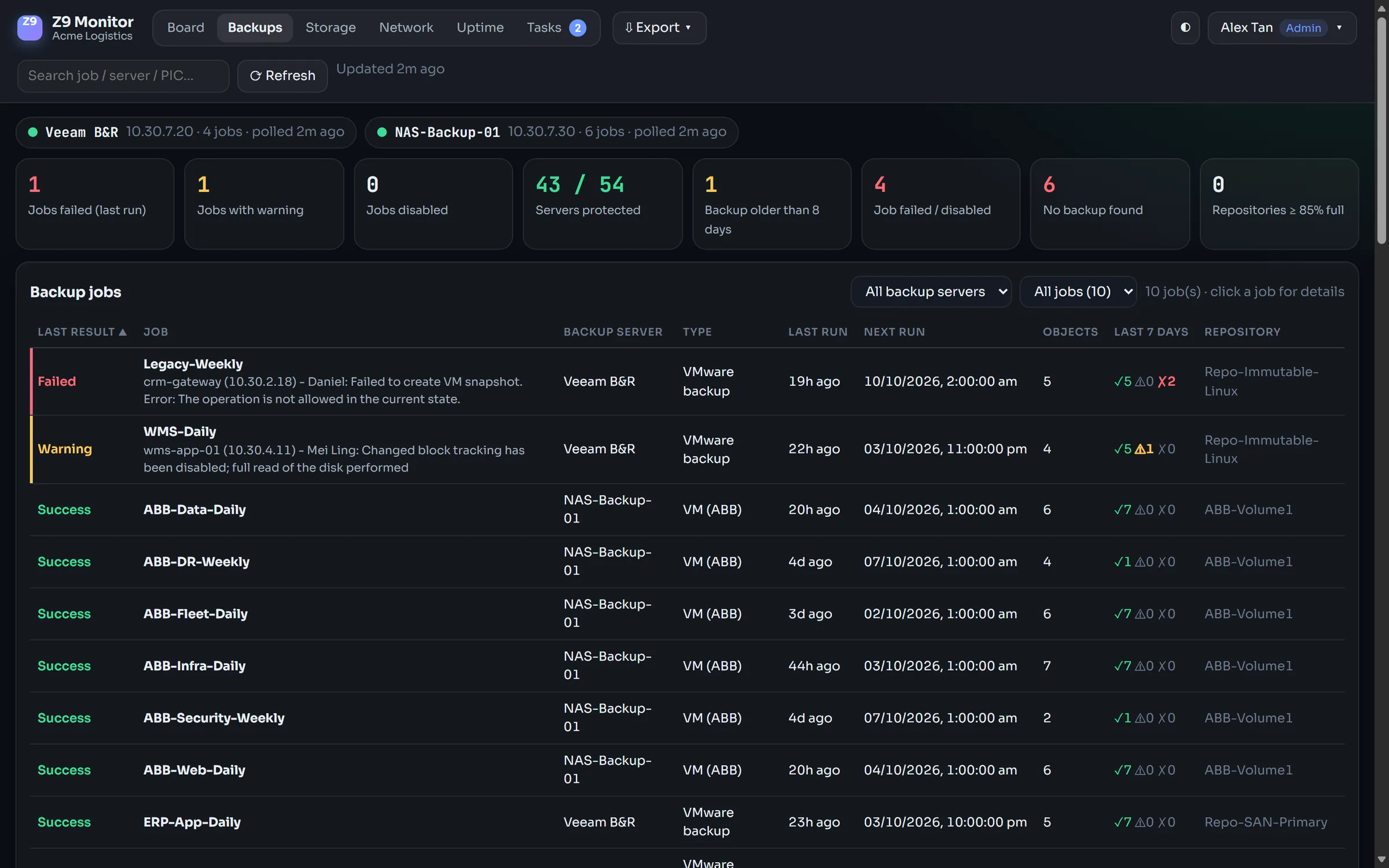
Backups: job results from every backup system and the servers without a recent restore point. Demo company with sample data.
Coverage per server, not just job results
Z9 Monitor reads your backup systems with a read-only account and matches every restore point to the server on the board – by VM ID, name or IP address. The result is one list:
- Servers with no backup at all – typically new VMs that nobody added to a job.
- Servers whose last backup is too old – you choose the limit (for example 8 days).
- Exceptions on purpose – test machines or servers that need no backup are marked once, with a reason, and stop showing up.
The same coverage appears next to each server on the board ("Backup 20h ago") and in the monthly PDF report for management.
Veeam Backup & Replication
- Version 12 and 13 over the Veeam REST API, with a Backup Viewer account – Z9 Monitor cannot start, change or delete anything.
- Every job's last result with the real error text when it fails, and an alert when a job turns to Failed.
- Repository space, and the backup size of each server.
- Several backup servers side by side – for example a new v13 server next to an older v12 one.
Synology Active Backup for Business
- VMs, PCs and physical servers protected by Active Backup, matched to the same servers on the board.
- A DSM account without administrator rights is enough.
- NAS volumes, disk health and temperature – the storage your backups live on.
Alerts that reach the right person
A job that fails is sent at once by e-mail, Telegram, Microsoft Teams, Slack, WhatsApp or webhook to the IT team. Maintenance windows keep planned work quiet.
Part of the whole picture
Backup monitoring is one page of Z9 Monitor. The same board shows whether each server is up, how full its drives are and who owns it – for VMware, Proxmox VE and Hyper-V. Backup monitoring is included from the Business edition; the 14-day trial includes everything. See editions and prices.